


Bobcat Diagnostic Scan Tool
Do you have a fleet of Bobcat compact construction equipment that sometimes faces breakdowns and downtime? If yes, what you need is the Jaltest Bobcat troubleshooting codes diagnostic tool to nip the problems in the bud. Our Bobcat warning codes such as the Bobcat e85 fault codes will alert you to any minor issues so that action may be taken before they become a major problem.
Bobcat diagnostic software helps you maintain your Bobcat equipment fleet in peak performance condition. This is because our maintenance software offers coverage over a large cross-section of Bobcat systems and models. The software is good across A series, S series, T series, and E series mini excavators, as well as skid steers. Our optimized troubleshooting tool even covers the engine in the U56 Toolcat and more.
This means that you can use one Jaltest software for Bobcat T200, T300, 300 troubleshooting, and more without needing to invest in various diagnostic software.
Check out our software and keep your Bobcat equipment always on the job.
Request a Custom Demo VideoDeep Coverage and Maintenance of All Makes and Models of Bobcat Construction Equipment


The Bobcat fault code list of our diagnostic software provides in-depth coverage across all core models. Troubleshoot issues on Bobcat skid steer joystick controls, identify rail pressure control faults, SJC controls, and more. The sky is the limit when it comes to rectifying issues with the Jaltest diagnostic tool for Bobcat equipment especially Bobcat mini excavator troubleshooting.
Checking for any issues that have the potential to become a full-blown problem is easy with our software and preventive measures can be taken with our Bobcat maintenance tool. You can either perform a thorough system scan to verify whether all metrics are functioning well or undertake specific functions (shortcuts). In all cases, you are assured of dealer-level service and solutions.

Technical and System Information
Bobcat T200, T300, and 300 troubleshooting, along with other models is as easy as it gets with our diagnostic software. Assess the system dashboard and choose the module to diagnose a fault, whether it is hydraulic systems, power modules, transmission, fault codes h2607, m5306, Bobcat 753, 763, and others. Calibrate the raising and tilting actuators in AJC (Advanced Joystick Controls) and the hydrostatic pump in selectable joystick control (SJC) skid steers.
You can also check the Kubota engine fault code list and undertake optimized diagnostic processes of your Bobcat equipment. The same goes for Doosan engine diagnostic which also powers the Bobcat construction equipment. In addition to the engines, our software links up to the auxiliary controller, body computers, hydraulic systems, transmissions, and more.

Force Regens and After-Treatment Systems
In all propulsion systems of Bobcat compact construction equipment, Bobcat diagnostic software analyzes after-treatment systems and carries out force regens. This maintenance activity prevents soot from building up inside the Diesel Particulate Filter (DPF) and stops the equipment from going into limp mode.
Our user-friendly diagnostic menu comes with several parameters. Get maintenance data, vehicle data, and system technical data that will guide you through the various diagnostic parameters such as the exhaust gas treatment system, the electronic module, and the remote hydraulic controller.
Every component like the central computer, electronic module, instrument cluster, hydraulics, and more is covered by the system scan.

Advanced Diagnostic Software For Bobcat Construction Equipment
The Bobcat troubleshooting diagnostic software, especially effective for Bobcat mini excavator troubleshooting, from Jaltest is the best in this field. First, there is no elaborate setup and configuration process and all that you need to do is plug in and start your work. Next, what is critical is that the software not only troubleshoots and identifies the issue but also offers dealer-level solutions too.
While our Bobcat maintenance software is optimized for almost all makes and models of the compact construction equipment, the extent of coverage often differs between various Series. To bridge this gap, we release software updates at least thrice every year to keep up with the technological advancements made by Bobcat equipment. It ensures that you get the most optimized services from your construction equipment.
Request a Custom Demo VideoJaltest Coverage for Bobcat
Bobcat Diagnostic
-

Jaltest Deluxe Diagnostic Computer Construction & Heavy Equipment Kit
Translation missing: en.products.product.price.regular_price $7,534.00Translation missing: en.products.product.price.regular_priceTranslation missing: en.products.product.price.unit_price Translation missing: en.accessibility.unit_price_separator$9,955.00Translation missing: en.products.product.price.sale_price $7,534.00Translation missing: en.products.product.on_sale -

Jaltest Construction & Heavy Equipment Diagnostic Kit - 29211
Translation missing: en.products.product.price.regular_price $5,295.00Translation missing: en.products.product.price.regular_priceTranslation missing: en.products.product.price.unit_price Translation missing: en.accessibility.unit_price_separator -
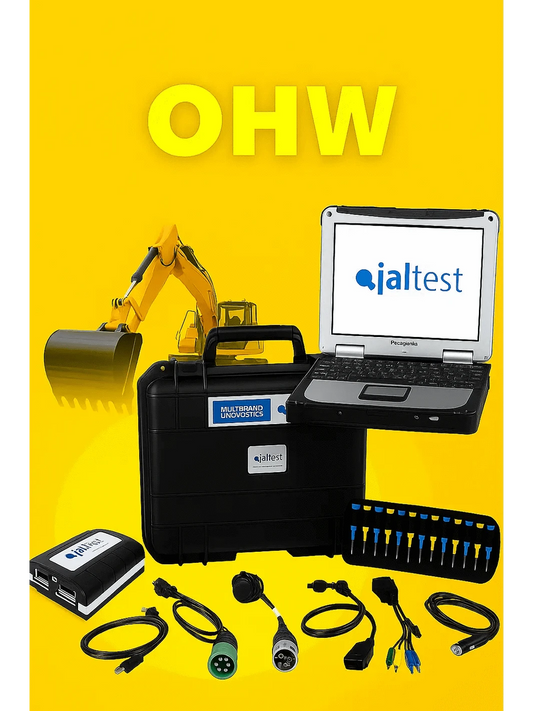
Jaltest Diagnostic Computer Construction & Heavy Equipment Kit
Translation missing: en.products.product.price.regular_price $6,634.00Translation missing: en.products.product.price.regular_priceTranslation missing: en.products.product.price.unit_price Translation missing: en.accessibility.unit_price_separator$8,295.00Translation missing: en.products.product.price.sale_price $6,634.00Translation missing: en.products.product.on_sale


Create Your Custom Computer Diagnostic kits
Request a demonstration
See how Jaltest can diagnose your fleet. Request a live virtual one on one demonstration or we can email you a recorded demo.
Jaltest Bobcat Diagnostic Software FAQs
Our Bobcat diagnostic software is good for a wide range of Bobcat systems and models of construction equipment. They include the A series, S series, T series, and E series. Hence, regardless of whether it is Bobcat mini excavator fault codes or Bobcat skid steer fault code list, we have you covered. You can also troubleshoot issues with the Bobcat scan tool on Bobcat skid steer joystick controls, identify rail pressure control faults, SJC controls, and more.
Fault code lists indicate the performance and the function of your equipment. Bobcat fault codes can pop up when certain metrics are not where they should be. They may relate to battery or sensor supply voltage, fluid levels, hydraulic oil temperature, and more. The built-in volt and temperature sensors, as well as the speed sensors, will not only alert you to the fault codes but also provide the required details, such as out-of-range high or low.
Bobcat fault codes list is typically displayed on the instrument panel or the control display of the Bobcat equipment. However, these panels are not standardized and may vary depending on the type of machine – excavators, telehandlers, and so on – the model, features, and the year it was manufactured.
For the R Series, select the “service codes” on the touchscreen and check the active fault code on the screen. For M2 Series and similar that comes with a deluxe panel, move to the “active warnings”. But if you simply have a panel with a display and gauges, press the information button, and you will navigate to a screen with an open book symbol with a wrench on top.
With the Jaltest troubleshooting tool, doing away with Jaltest fault codes is not a complex procedure. Access the system dashboard and choose the model that needs to be diagnosed. It might be hydraulic systems, power modules, transmission, fault codes H2607, M5306, Bobcat 753, 763, and others. Calibrate the raising and tilting actuators in AJC (Advanced Joystick Controls) and the hydrostatic pump in selectable Bobcat joystick controls (SJC) skid steers.
You can also check the Kubota engine fault code list and undertake optimized diagnostic processes of your Bobcat equipment engines.
The Jaltest Bobcat diagnostic software has a user-friendly dashboard and does not require any elaborate setup or configuration process to install on your diagnostic laptop. This is where this tool is a cut above the others in this field. Further, we provide three updates to the software every year to keep in tune with upgrades of the Bobcat equipment, if any. This is an assurance that the software never goes out of date.
Latest Blog and Resources
Mechnician empowers heavy equipment technicians with diagnostic solutions to enable industrial companies to minimize downtime costs.
Translation missing: en.sections.featured_blog.view_all-

Jaltest Diagnostics 26.1 Update Is Here — More ...
We’re excited to announce the release of Jaltest Diagnostics Version 26.1, the latest software update from Cojali for the powerful. Jaltest Diagnostics multi-brand diagnostic platform.As with every major Jaltest update,...
-

Jaltest Diagnostics 25.3 Update is Here — More ...
We’re excited to announce the launch of the Jaltest Diagnostics 25.3 version, a major update from Cojali that delivers broader coverage, enhanced SMART diagnostics, and improved performance across all equipment...
-

New Jaltest Diagnostics 25.2 Version Is Here!
We’re excited to announce that Jaltest Diagnostics Version 25.2 is now available! As always, Jaltest by Cojali continues to raise the bar in multi-brand diagnostics, and this latest update brings...


